Repair, replacement, and maintenance pages
Explain symptoms, system types, service hours, and what happens at an appointment. Publish verified equipment, warranty, and financing details where they apply.
NETHERS WEB DESIGN / HOME SERVICES
Fill the right repair and replacement slots.
Separate a no-cool call from a system replacement. Give each buyer useful next steps and give your team enough detail to route the work.
Explain symptoms, system types, service hours, and what happens at an appointment. Publish verified equipment, warranty, and financing details where they apply.
Support click-to-call for urgent requests and short forms for planned work. Scope a scheduling or CRM connection around staff coverage, capacity, and the tools you use.
Connect market and equipment pages to local search. If paid campaigns are in scope, send each campaign to its own service page. Compare calls and forms with booked appointments.
We agree on the services you want to promote, who handles each inquiry, and what you’ll measure. The WordPress build includes responsive review and a handover so your team can update services and coverage.
Follow the path from a service page to a sample request. The concept shows what a homeowner can do on their phone.
Interactive website concept. Fictional company and AI-generated photography. Use the sample options to try the request flow.
AC repairs, system replacements, and tune-ups for West Orange County homes.
Find a service appointment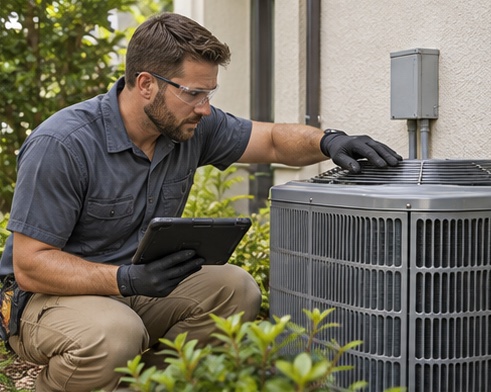
Describe what your system is doing so the office can confirm the right slot and what to expect from the visit.
Choose ac repairCompare replacement options with an evaluation of the existing equipment and the rooms it serves.
Choose system replacementRequest a tune-up or ask which visits and equipment are covered under maintenance.
Choose seasonal maintenanceExample service area
Winter Garden, Ocoee, and Windermere.
Try a sample request using the fields provided. Your choices stay in this preview.
Choose repair and describe the symptom. The office will confirm availability and explain what happens during the visit.
Choose replacement if you’re comparing equipment or want to understand your options before the current system fails.
Start with a list of the equipment your team services and the jobs you want to grow. Prioritize a mobile call button and clear staffed hours for repair. On the replacement page, explain how an assessment works and what information helps your estimator prepare.
A callback for a no-cool request and a planned replacement consultation can go to different people. Track each path separately and compare inquiries with dispatch and booking records so routine maintenance, repairs, and sales do not get lumped together.
During a hvac website design project, we review the business details customers will see across your website and Google profile. Confirm the markets you serve and the hours you can support. See Google’s service-area guidance and how we plan search visibility.
We can plan separate destinations for repair calls, replacement consultations, and maintenance inquiries. Routing depends on the tools your team uses.
Publish actual hours and explain what happens after hours. Put the phone number where customers can use it and make the next available option clear.
Bring your current website and the jobs you want to book. We’ll map the service pages, inquiry paths, and follow-up your team needs.